Property Risk Map
Every nearby environmental record, mapped around the property.
- 4elevation classes: higher, lower, similar, unknown
- Ringsdistance rings from the property outward
- Same dataas the full Government Records Report
Overview
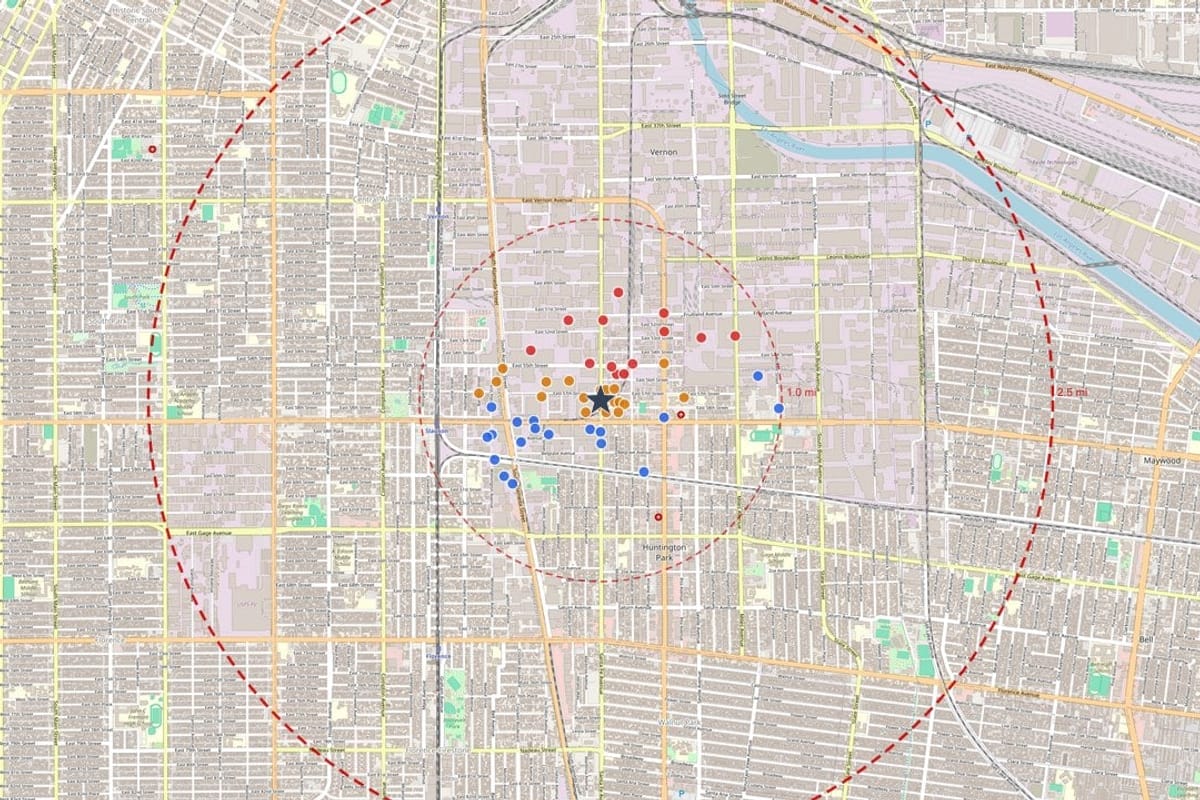
A property can look quiet on a street map and still sit next to a gas station, a dry cleaner or a former plant. The Property Risk Map shows what the government databases record around an address: every record that can be located is numbered, placed on the map and colored by its surface elevation compared with the property.
It uses the same data as the full report, so what you see on the map is what you can read about in the records. It is a fast way to understand the surroundings of a site before you decide whether to go further.
Property proximity map
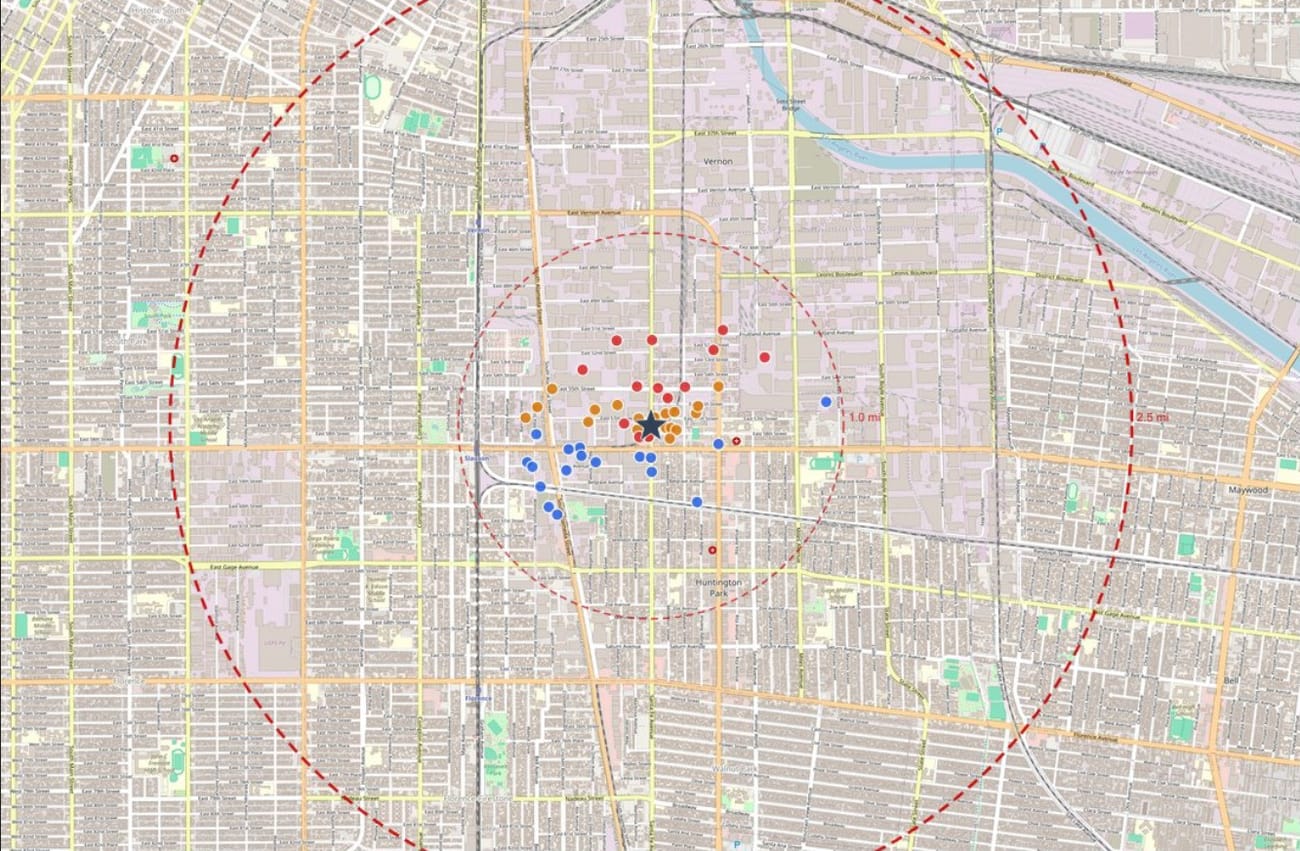
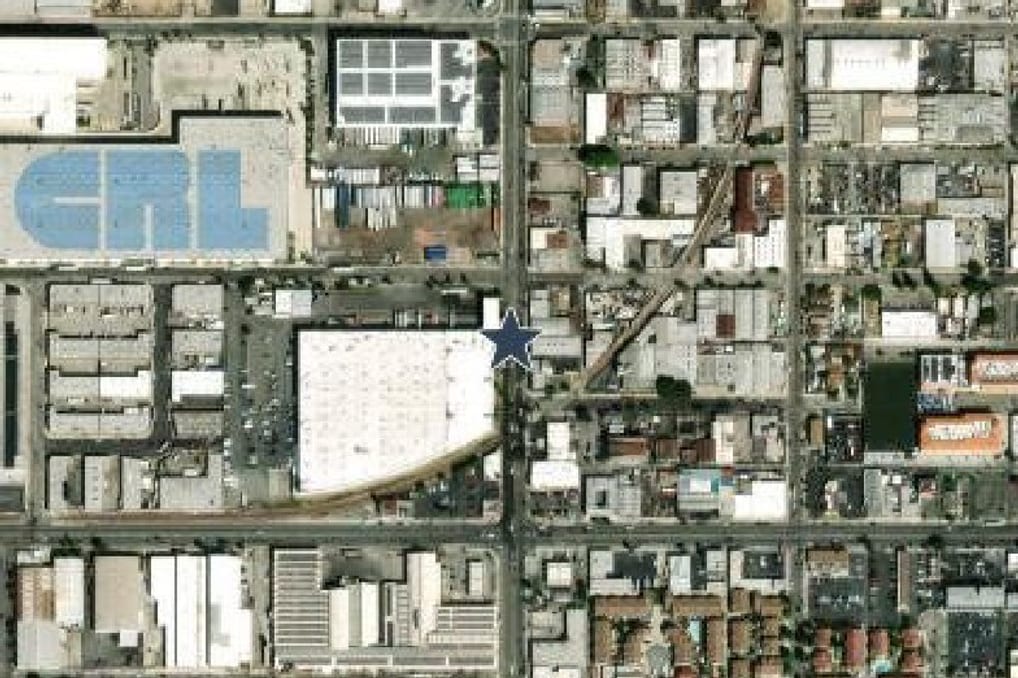
Zoom out from one property to its surroundings
From the site itself to the 1-mile search area to the 2.5-mile regional view.
How to read the map
- 1
Find the property
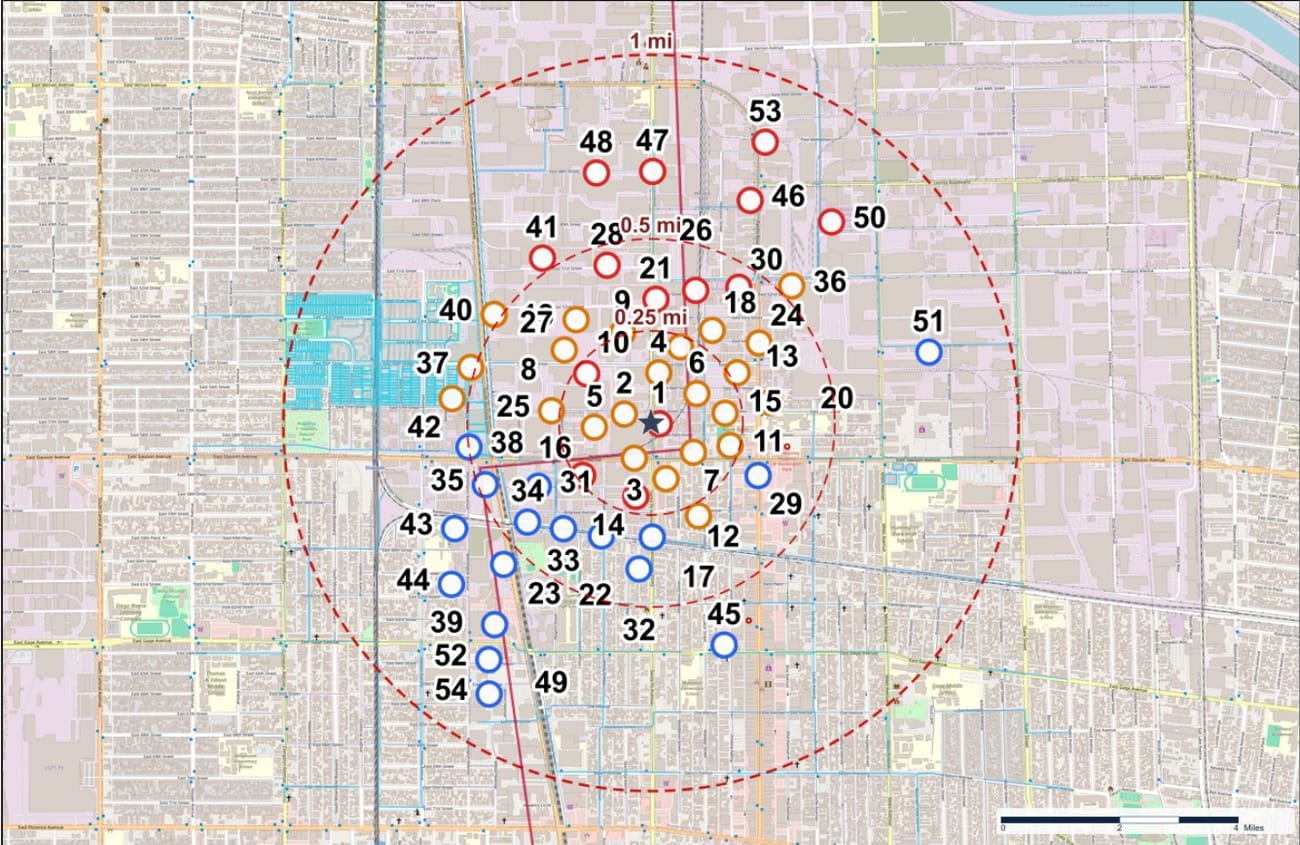
The subject property is marked at the center with a star.
- 2
Count the markers
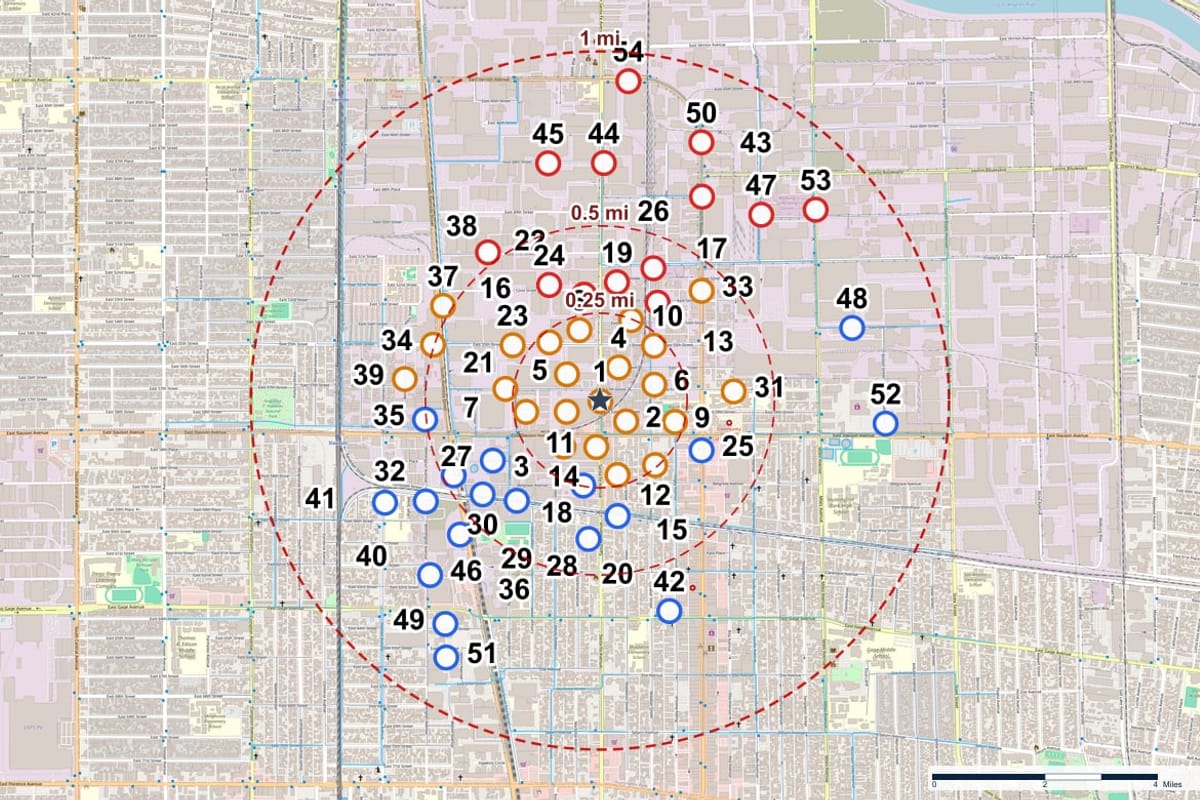
Each numbered marker is a facility that appears in a government database. A dense cluster close to the property is worth a closer look.
- 3
Read the color
Red markers sit at a higher surface elevation than the property, blue at a lower one, amber at a similar one and gray where elevation is unknown.
- 4
Open the record
Each number matches a Map ID in the report, where the databases, status, dates and source details are listed.
What the map shows
Nearby facilities
Regulated facilities and sites from the databases, placed where the source gives a usable location.
Distance and direction
Distance rings and a distance and direction for every record, so the closest ones are easy to find.
Elevation context
Surface elevation of each record compared with the subject property. This is a factual comparison, not a conclusion about how anything moves.
Flood zones
FEMA flood zones labeled on the map where they apply.
Wetlands
National Wetlands Inventory features near the site.
A path to the detail
Every marker matches a record in the report, so you can move from the picture to the source.
From a Geoscope report
Who uses it
Brokers
A quick look at what surrounds a listing before talking to a buyer.
Lenders
A first screen of collateral before ordering more work.
Insurance teams
Context on the neighborhood of an insured location.
Consultants
A starting map for planning the research on a site.
Questions, answered
Is there a risk score?
No. The map shows records, distances, elevation and overlays. It does not boil a property down to a single number, because the meaning of a record depends on the facts behind it.
Where can I see the details behind a marker?
In the Government Records Report, where each Map ID has its own record with source, status, dates and traceability.
Keep exploring
Talk to us about Property Risk Map
Tell us what you want to do and we will show you how it works.