Interactive GIS Platform
A full GIS workspace, without the ArcGIS license.
- Polygonsdraw or import the property boundary
- Buffersconfigurable search areas around the site
- Browserno desktop GIS software needed
Overview
Location changes the meaning of environmental data. For teams that need more than a static report, our Interactive GIS Platform places environmental records in the context of the subject property, letting you upload your own parcels, import shapefiles, run buffered spatial queries against our 1,500+ datasets, and collaborate with your team, all in the browser.
How a project flows
- 1
Define the site
Search an address, draw the property boundary or import a polygon for a large or linear project.
- 2
Choose the search area
Set the radius and buffers that match the question you are asking.
- 3
Layer in context
Turn on records, hydrography, roads and terrain and compare what falls inside and outside the area.
- 4
Share the result
Export map views and figures, or carry the same search into a report.
What you can do
Boundary mapping
Draw a property boundary on the map or import a polygon so the analysis follows the real shape of the site.
Buffers and search areas
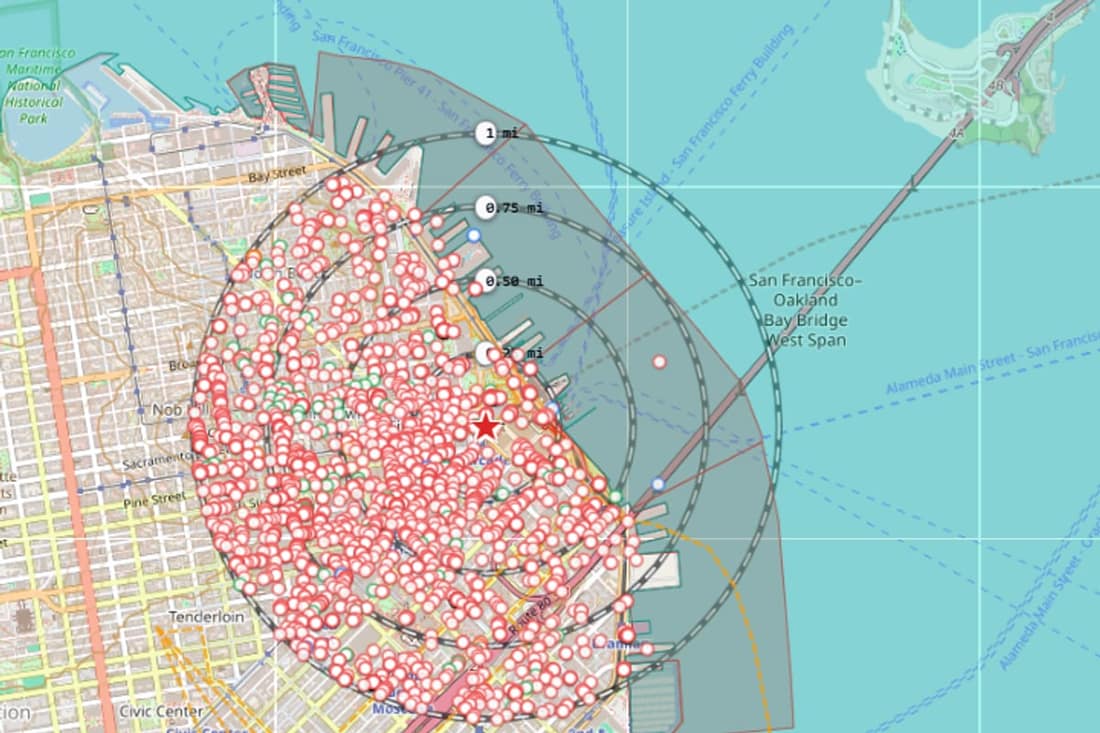
Configure the search distance, with buffer rings shown on the map.
Proximity analysis
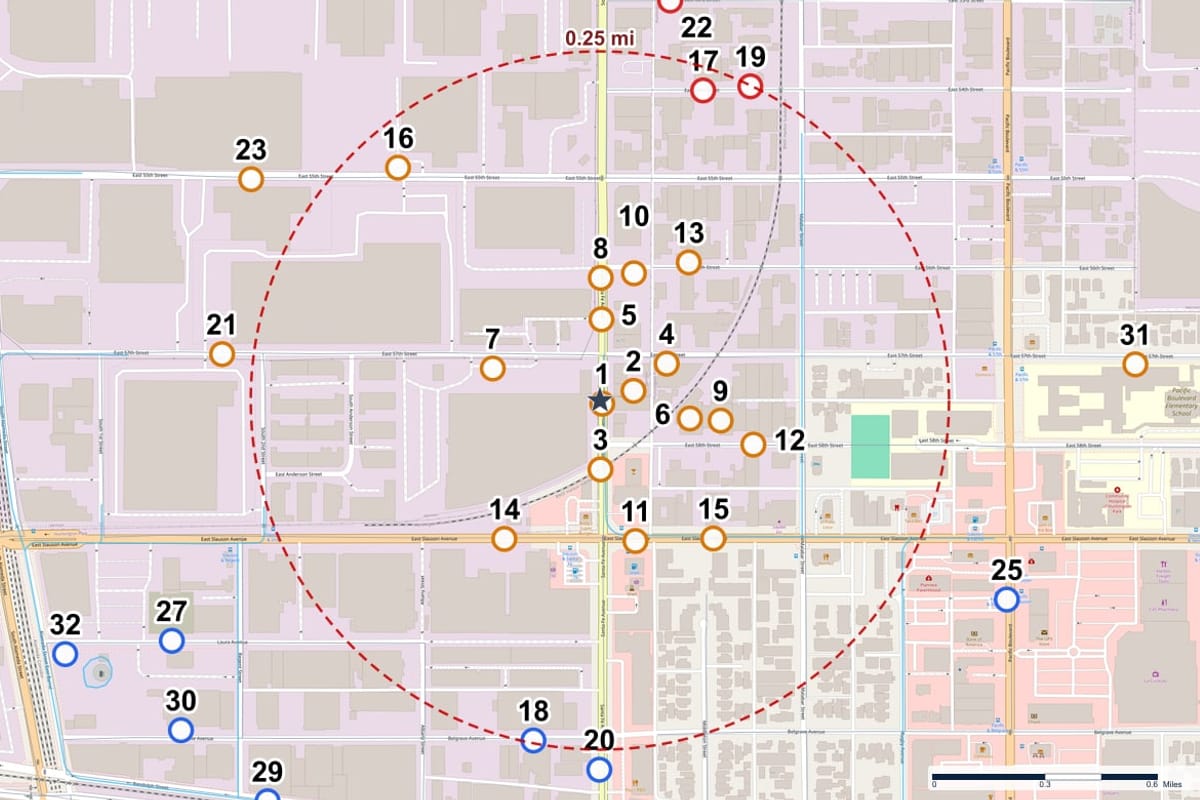
Distance and direction from the site to each record.
Record mapping
Environmental records plotted as numbered points with their databases and status.
Water and terrain context
Hydrography and contour lines to read drainage and the lay of the land.
Transportation context
Local roads on the map to place records on the ground.
The Atlas Console
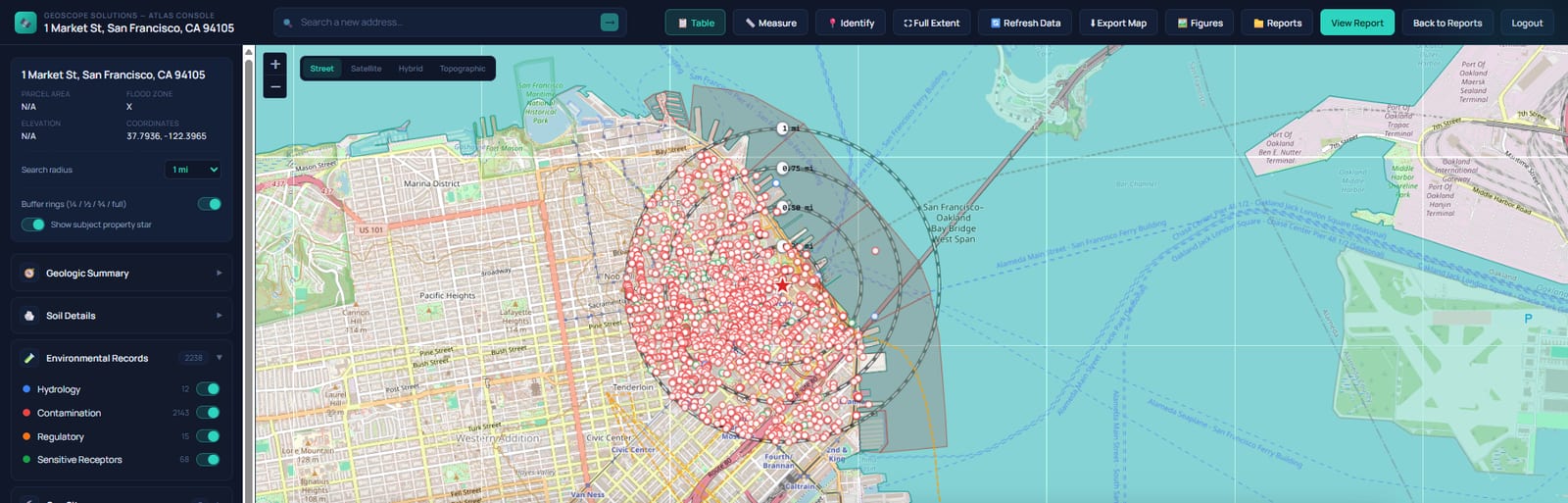
Atlas Maps and Layers
Where it fits
Development sites
Identify regulated facilities near a planned project.
Search radius comparisons
Compare records inside and outside a chosen radius.
Water features
Understand how a site sits relative to nearby streams and ponds.
Questions, answered
Do I need GIS software?
No. Everything runs in the browser.
Does it replace a hydrogeologic evaluation?
No. Water and terrain layers are research aids. They do not replace a professional evaluation.
Keep exploring
Talk to us about Interactive GIS Platform
Tell us what you want to do and we will show you how it works.