Government Records Report
Government Environmental Records, Organized Around the Property
- 24 hourstypical delivery after order confirmation
- Full radiusevery database searched to the order radius
- Source citedagency, dataset version and retrieval date on each record
Overview
A list of records is only the beginning. Environmental professionals need to know where those records are, how close they are, what database they came from, and whether the information warrants further investigation. Our Government Records Report brings together relevant environmental records and spatial relationships around a subject property in a structured, review-friendly format, compiling information from federal, state, and local government sources into one professional deliverable.
The report is designed to support environmental due diligence, property acquisitions, financing, redevelopment, permitting, and regulatory compliance by making that first-stage review faster and easier.
Government Records Report
How far each record is from the property
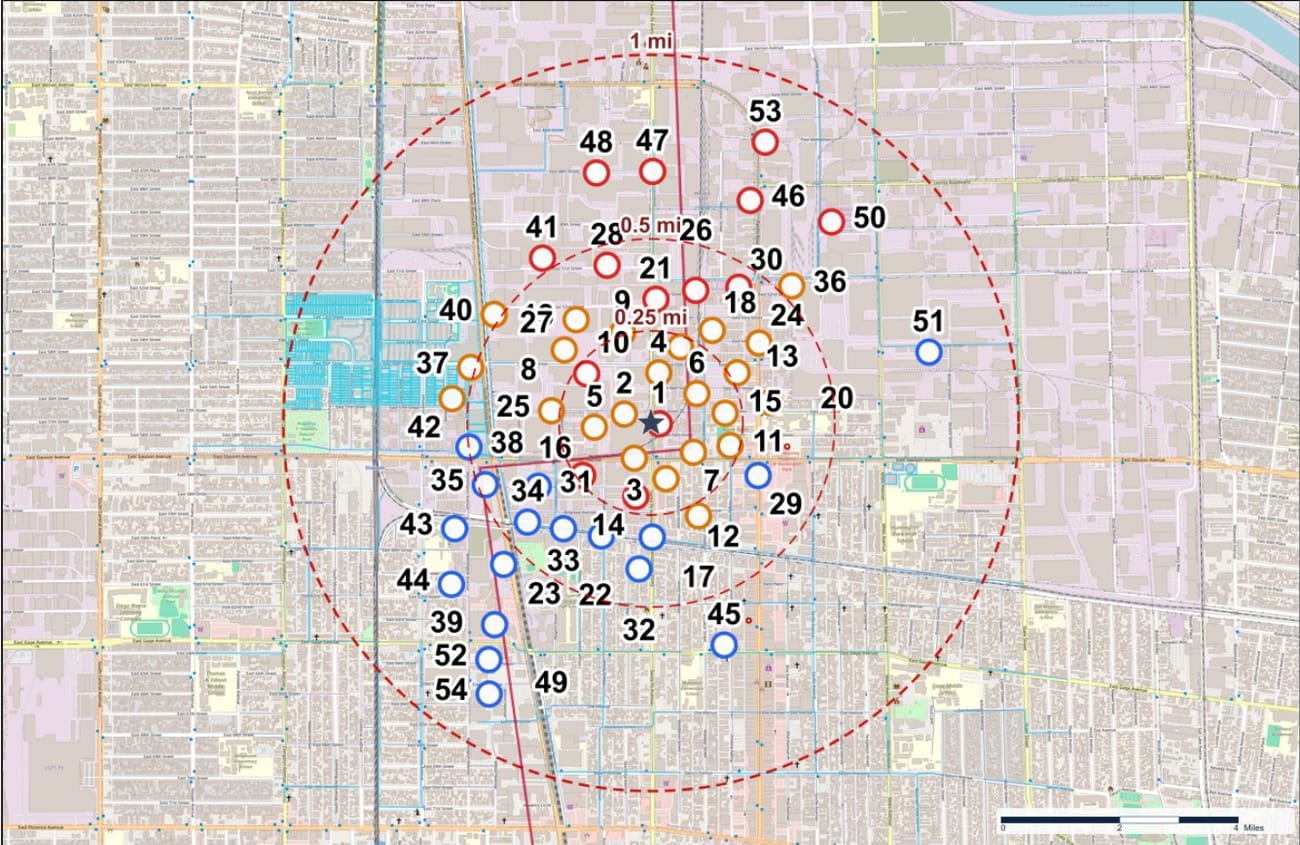
The search area is split into distance zones, and every mapped location is counted in the zone where it falls.
How an order works
- 1
Enter the property
Order online with a street address or coordinates and choose the search radius. You can add notes for the analyst.
- 2
Databases are searched
Federal, state, tribal and local government databases, plus third-party sources, are searched to the full radius. Records are placed on the map wherever the source gives a usable location.
- 3
Records are organized
Each facility gets a Map ID, a distance and direction from the property, and a list of the databases that mention it, with status, dates and record IDs.
- 4
Analyst review and delivery
An analyst confirms the property location and checks the output. The finished PDF is released to your account.
What is inside the report
Subject property page
Address, coordinates, UTM and State Plane coordinates, elevation and the USGS topographic quadrangle, together on one page.
Findings summary
Record counts inside 0.25 mile, from 0.25 to 0.5 mile and from 0.5 to 1 mile, so the overall picture is clear before you read a single record.
Records organized by database
Every database has its own listing with distance, direction, status, dates and record IDs, and each line links to the full facility record.
Expanded facility records
Source, status, dates and traceability for each facility. Where the source provides them: handler activities, waste codes and compliance history.
Numbered maps
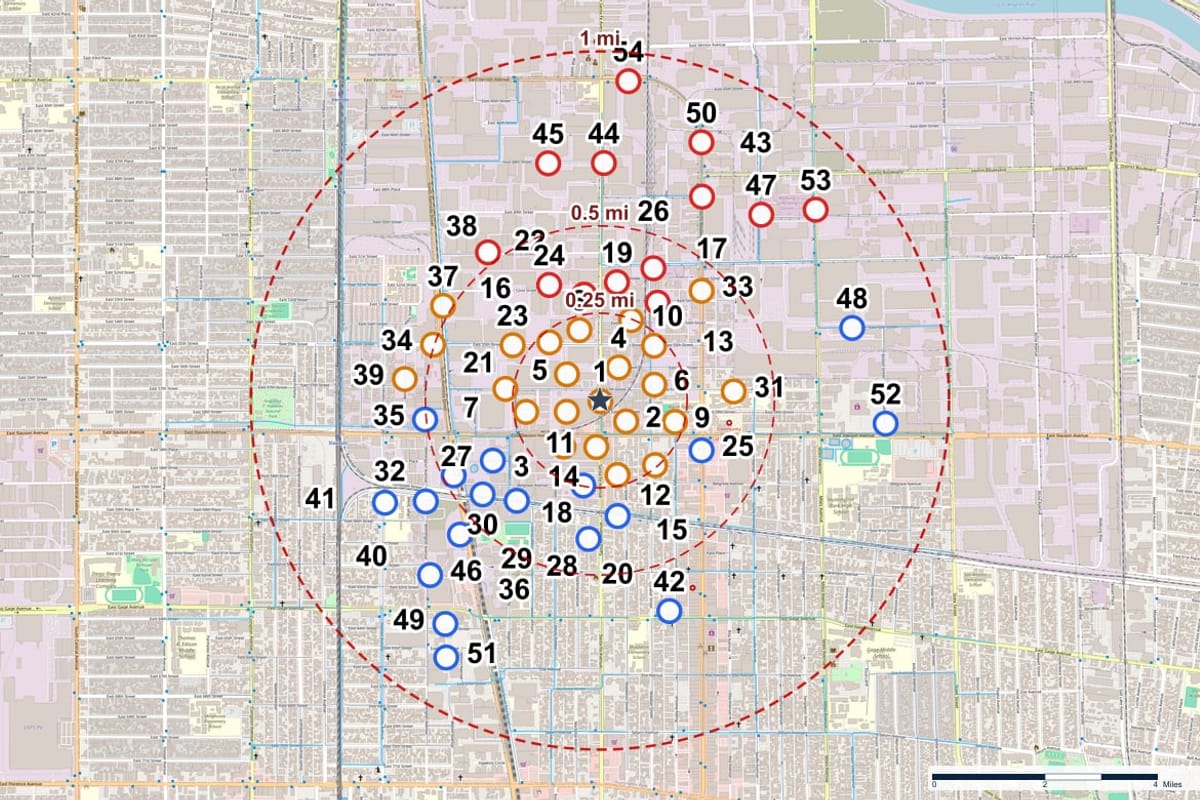
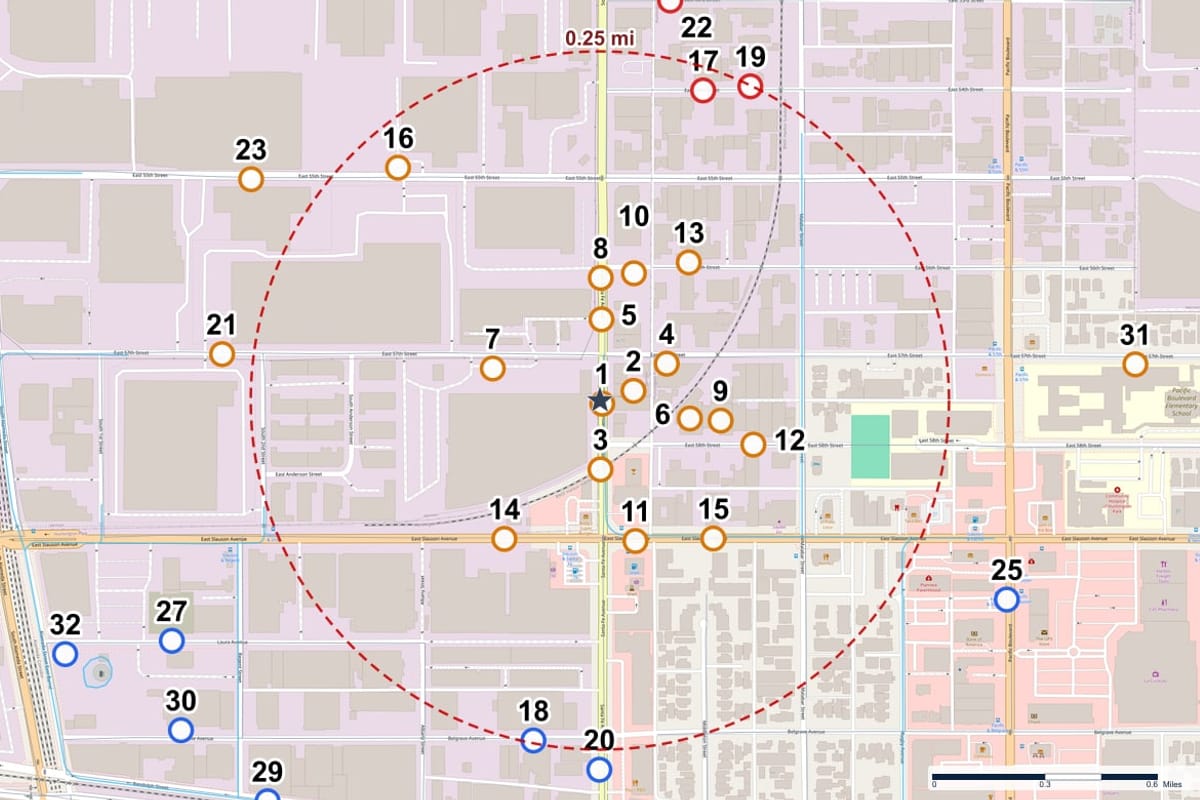
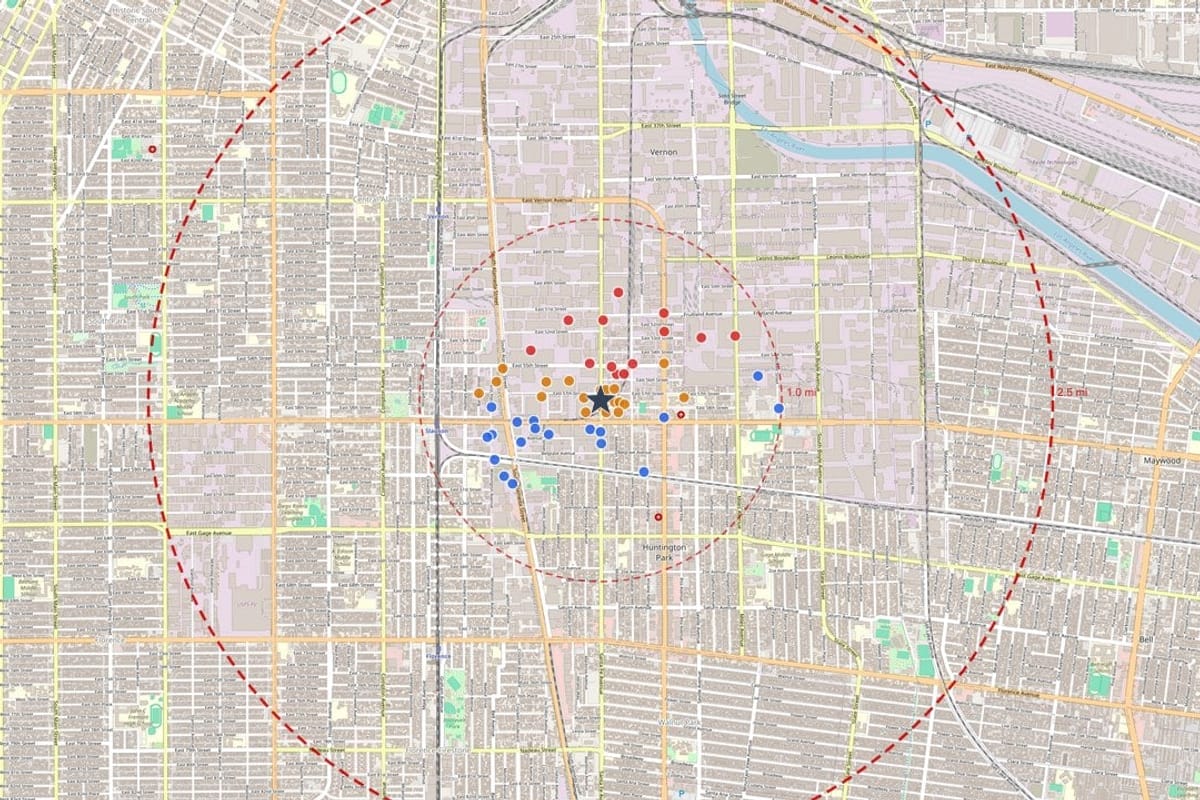
A property proximity map, a close-up area map and a regional context map. Every record carries its Map ID and is colored by surface elevation compared with the subject property.
Aerial imagery
Aerial photography of the property, so you can see the site and its surroundings beside the records.
Soil, geology and radon context
A geological landscape summary, a soil map and regional radon potential for the area.
Historical topographic maps
USGS topographic sheets from past decades, centered on the property.
Databases with no records
A list of the databases that were searched and returned nothing, so a reviewer can see what was covered.
From a Geoscope report
Who orders it
Environmental consultants
A complete records base to start a Phase I from, organized the way a reviewer reads it.
Lenders and underwriters
A fast screen of collateral before deciding whether further work is needed.
Developers and brokers
A clear read on a site before the offer, the contract or the design work.
Attorneys
A source-cited record of what the databases show for a property, with dates.
Questions, answered
What databases are searched?
Federal programs such as hazardous waste (RCRA), cleanup (Superfund and related lists), facility registry, toxic release and discharge records, plus state, tribal and local lists for storage tanks, spills, brownfields and similar programs. The report lists every database searched, including the ones with no records.
What does the map show?
Every record that can be located is numbered and plotted around the property with distance rings. Marker color shows whether the record sits at a higher, lower or similar surface elevation than the subject property.
What if a record has no usable location?
It is still listed. Records that cannot be placed on the map appear in a separate section so nothing is dropped from the count.
How long does a report take?
Most reports are delivered within 24 hours of order confirmation. Every report is checked by an analyst before it is released to your account.
What does a report cost?
A Government Records Report is $79. There are no subscriptions or setup fees for a one-time report.
Is this a Phase I Environmental Site Assessment?
No. Geoscope reports are records and mapping research. They do not include a site visit, interviews or an environmental professional's opinion, and they do not replace a Phase I ESA. Many teams use the report as the starting point for that work.
Where does the data come from?
Government environmental databases plus third-party sources. Each record shows the source agency, the dataset version and the date it was retrieved, so a reviewer can trace it back.
Keep exploring
See it on your own property
Order a report for any US address and see the records around the property.