ATLAS Environmental Data Map
Live interactive map with 1,500+ environmental layers, coast to coast.
- 4basemaps: street, satellite, hybrid and topographic
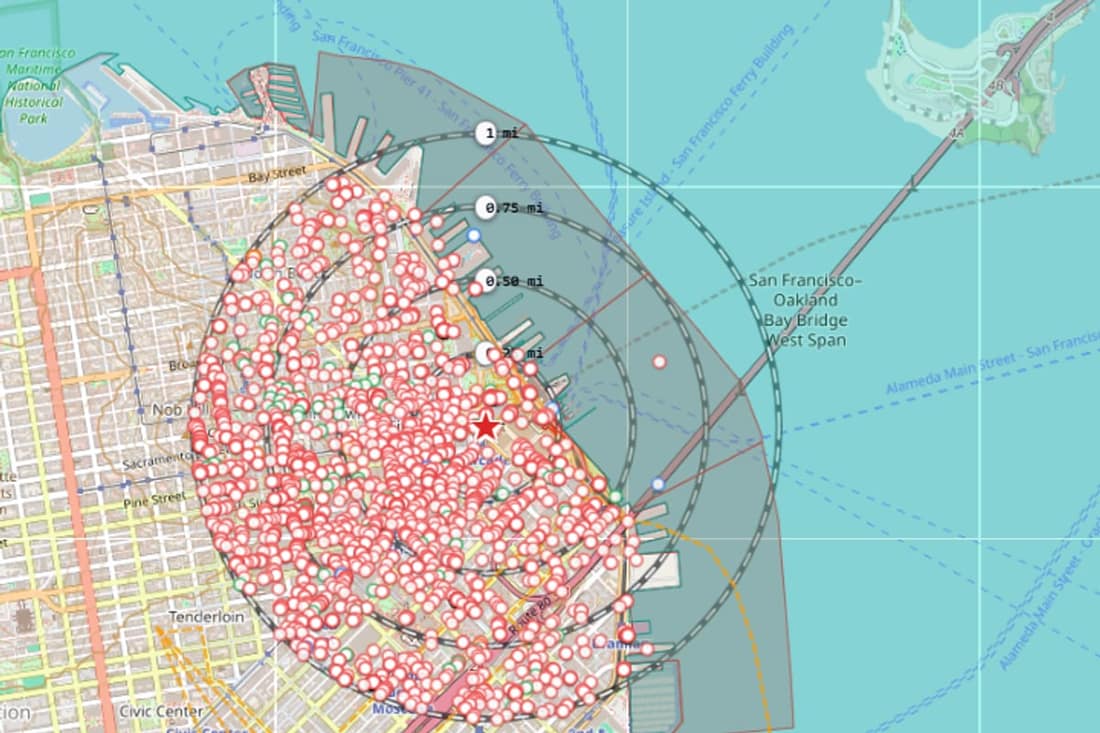
- 4buffer rings: quarter, half, three quarters and full radius
- 2,238records mapped within one mile of 1 Market St, San Francisco
Overview
ATLAS turns environmental research into an interactive, map-based workflow. Instead of reviewing environmental records as disconnected lists, explore where records occur, measure their relationship to the subject property, switch between layers, and investigate historical context, all from an always-on, subscription-based GIS interface with every environmental, regulatory, and risk layer Geoscope maintains.
A typical session
- 1
Search a location
Type an address or coordinates. The map centers on the property and marks it with a star.
- 2
Set the radius
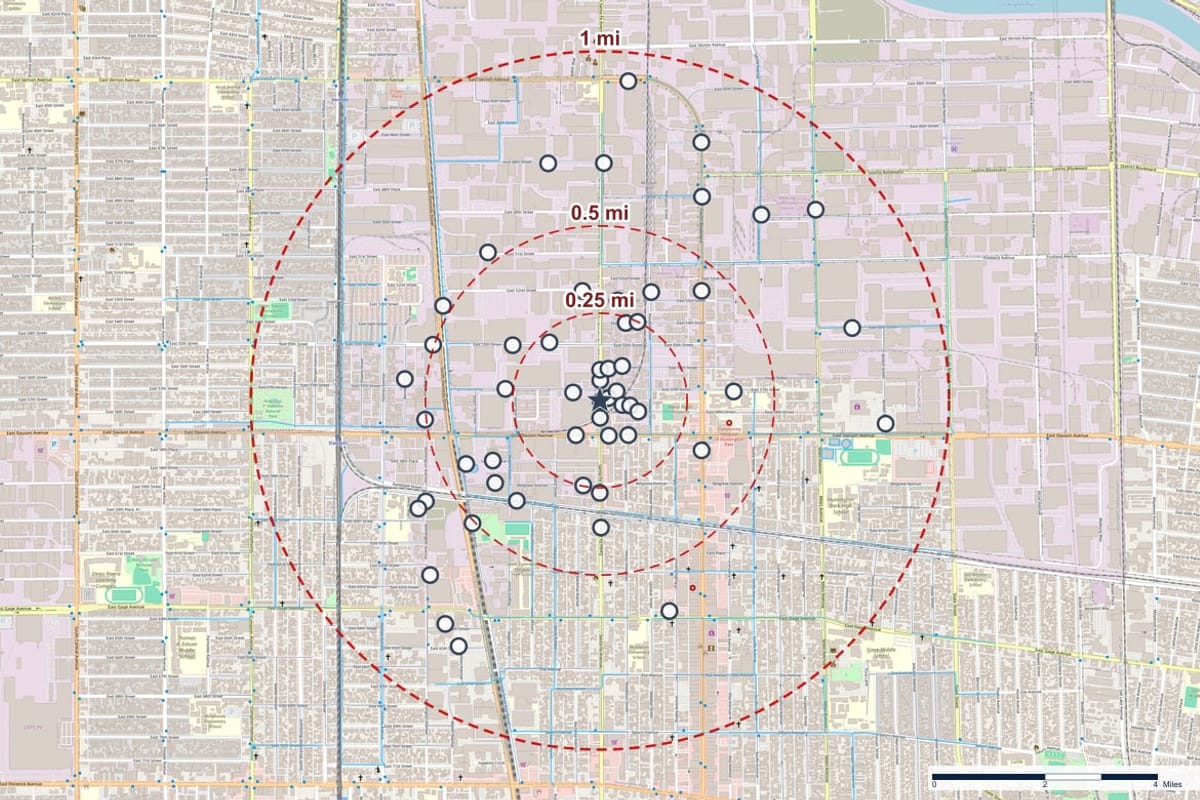
Choose the search radius and turn buffer rings on or off. Rings are drawn at a quarter, a half, three quarters and the full radius.
- 3
Switch layers
Turn groups on and off: environmental records, flood zones, wetlands, contour lines, soils and geology. Change the basemap to street, satellite, hybrid or topographic.
- 4
Inspect the records
Open the table to filter by address, database or category and sort by distance. Use Identify on a marker and Measure for distances.
- 5
Export or order the report
Export the map or figures, or send the same search to a full report.
What the console does
Records on the map
Hydrology, contamination, regulatory and sensitive-receptor records plotted around the property, each group with its own count and toggle.
Flood zones and wetlands
FEMA flood zones and National Wetlands Inventory layers, with an opacity control for each.
Terrain and elevation
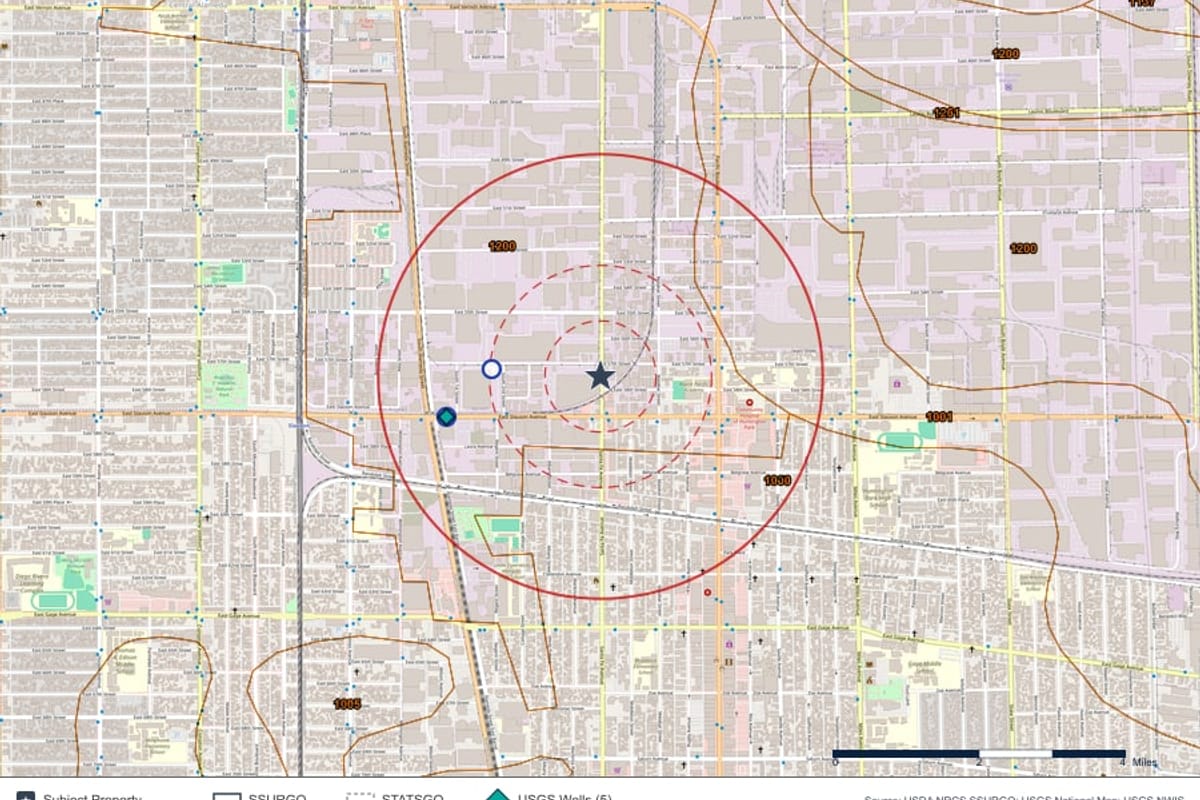
USGS contour lines for reading the lay of the land around the site.
Soil and geologic summaries
Panels for soil details and a geologic summary of the location.
Records table
A filterable table with distance, direction and status for each record, with checkboxes that control what appears in the report.
Measure and identify
Measure distances on the map and identify any feature you click.
Export and figures
Export the map view and prepare figures for a report or a client file.
Legend that follows the layers
A live legend lists only the layers that are switched on.
The Atlas Console
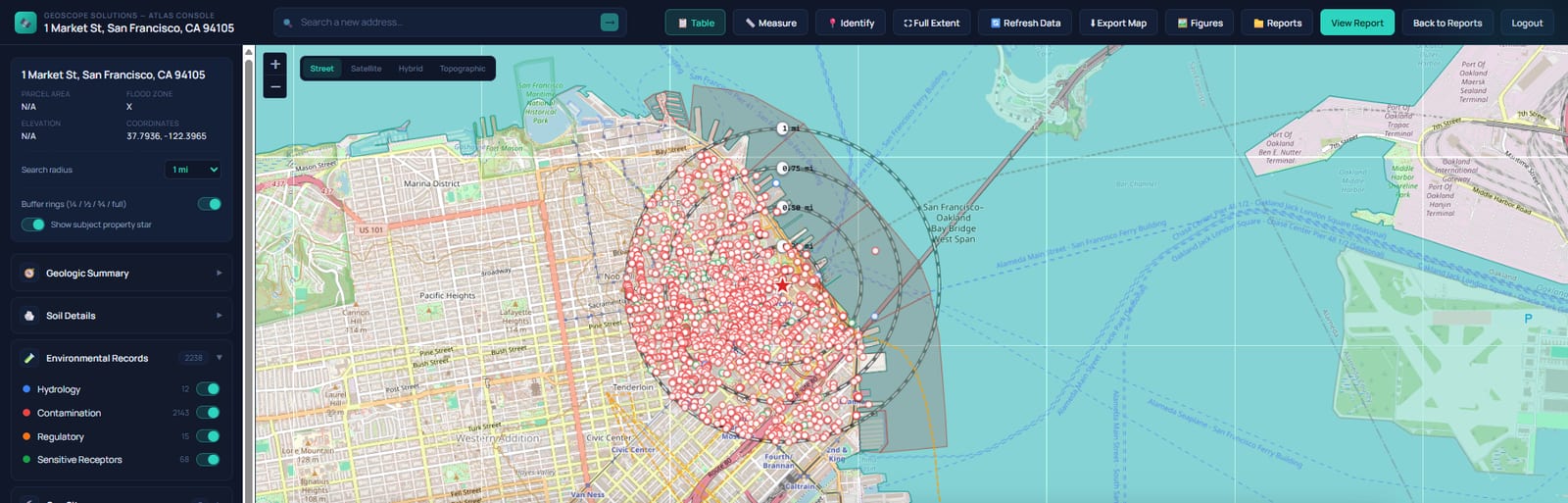
Atlas Maps and Layers
How teams use it
Screening before a Phase I
See the surroundings of a site in minutes and decide where to look first.
Portfolio review
Check a series of addresses one after another with the same settings.
Client presentations
Export clean map views to show a client what surrounds a property.
Field planning
Look at roads, water and terrain around a site before the visit.
Questions, answered
Who can use Atlas?
Atlas is available to clients with an account. Sign in from the Client Login page, or create an account to get started.
Can I get a report from what I see on the map?
Yes. Atlas has a View Report action, and the records table lets you control which records appear in the report.
Does Atlas show pipelines?
Pipeline geometry is not shown. Federal data policy restricts public access to pipeline locations, so it is left out.
Keep exploring
Talk to us about ATLAS Environmental Data Map
Tell us what you want to do and we will show you how it works.